A shop till — on your computer and your phone
Sales, debt book, stock and reports — in one program. Big buttons, plain words.
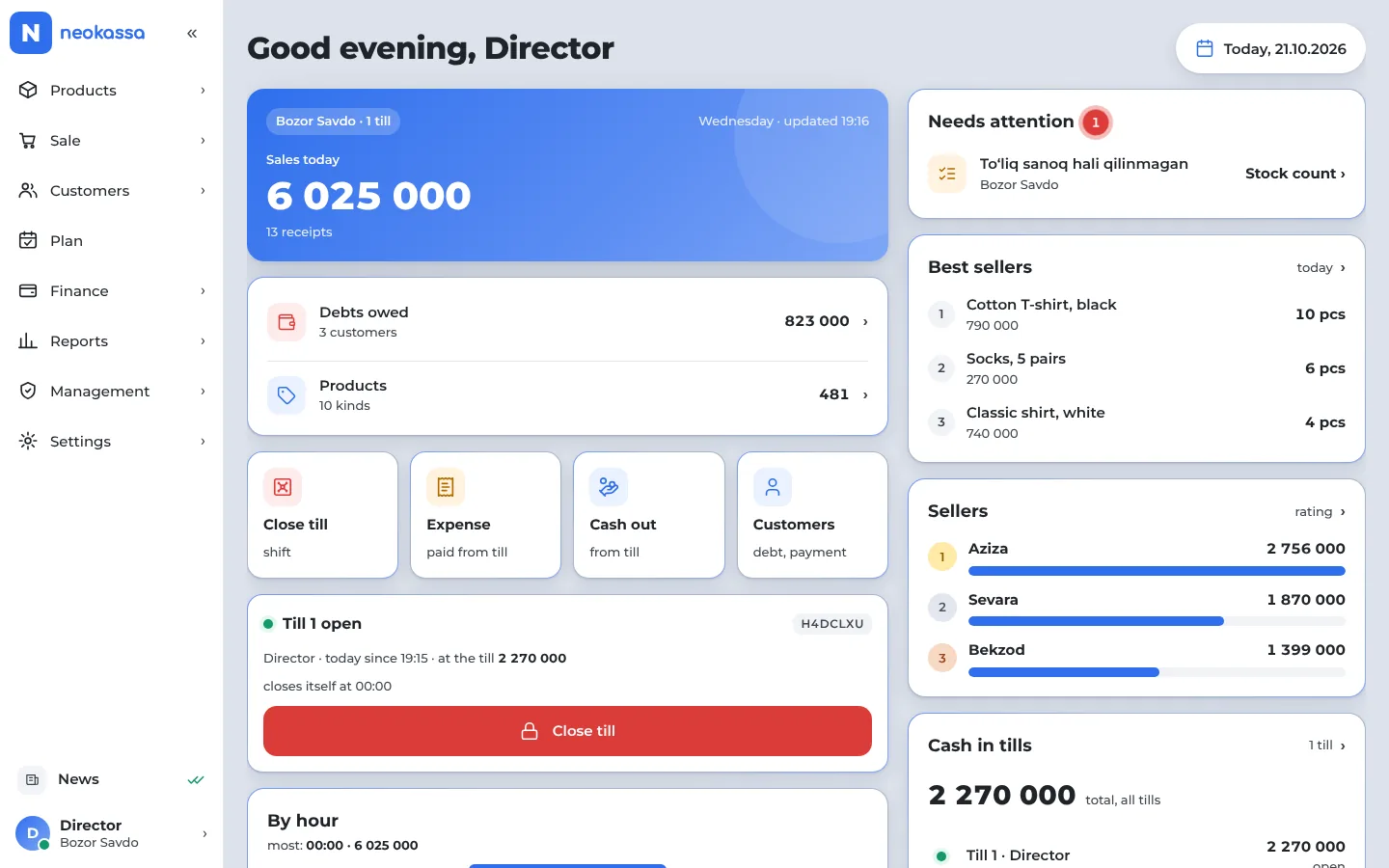
What the program looks like
This is how the program looks on a computer and a phone. An English interface is coming soon — the program is in Uzbek for now.
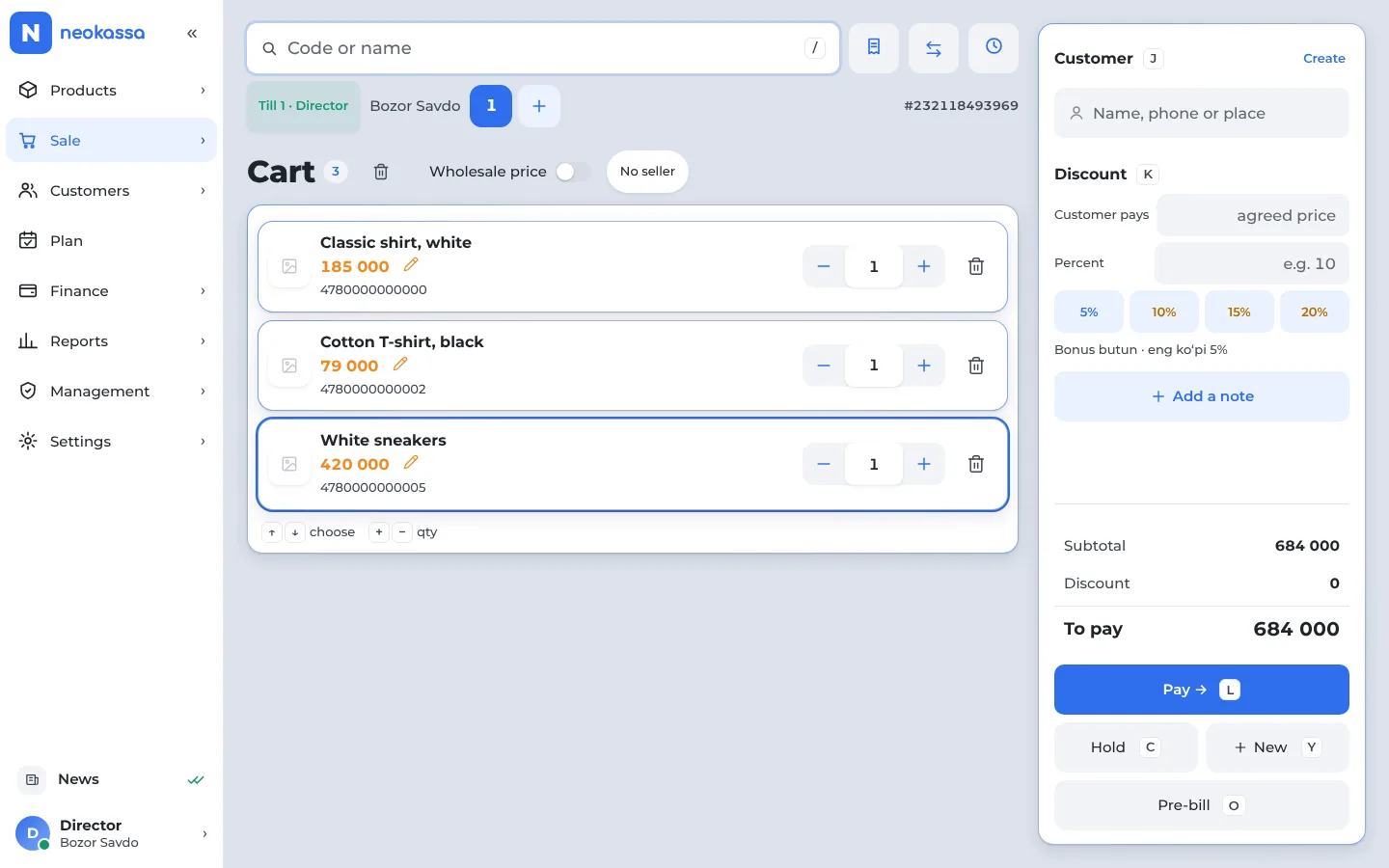
Cart — one scan and it’s in
Items come in by barcode, pick the customer, pay in a few taps.
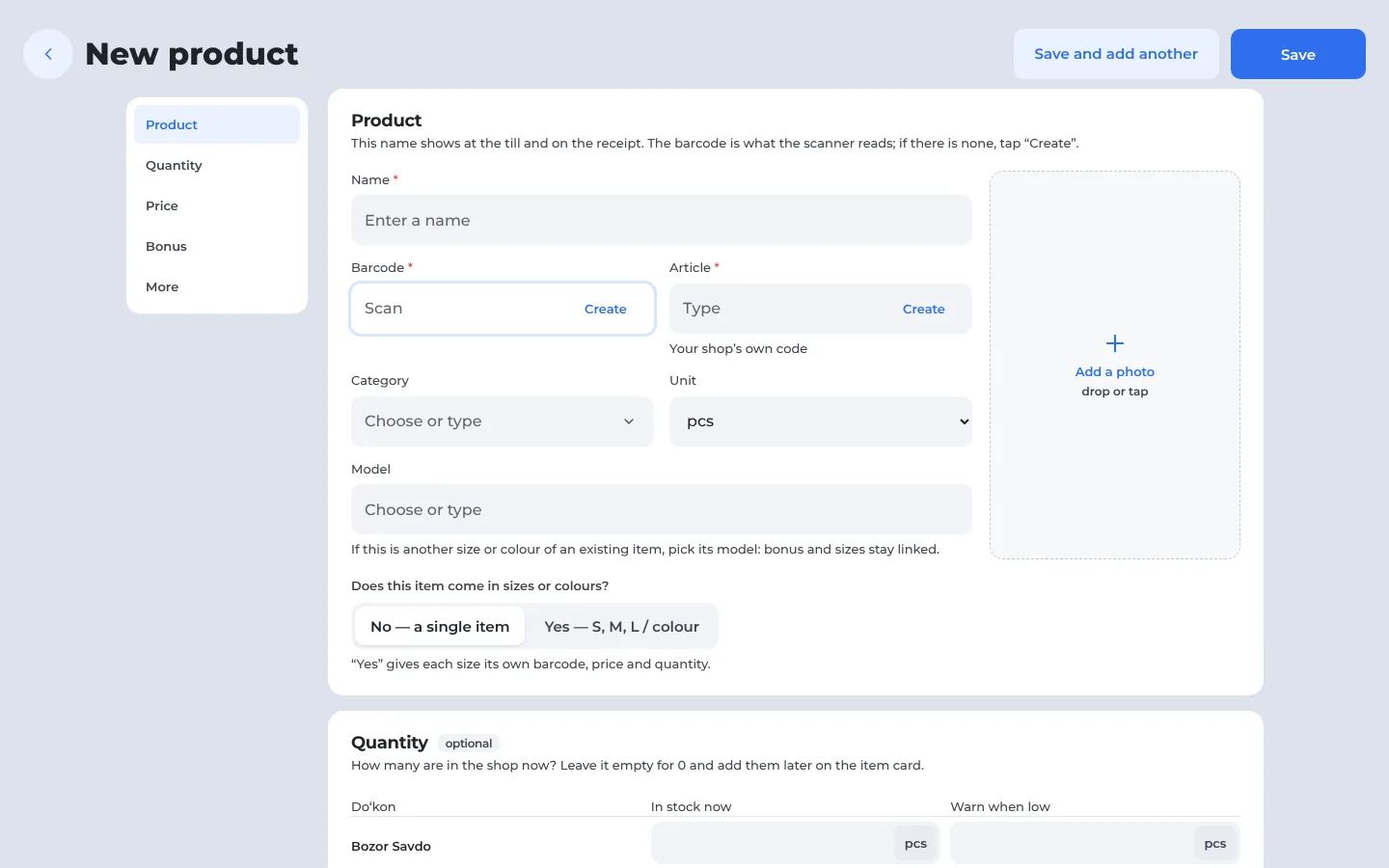
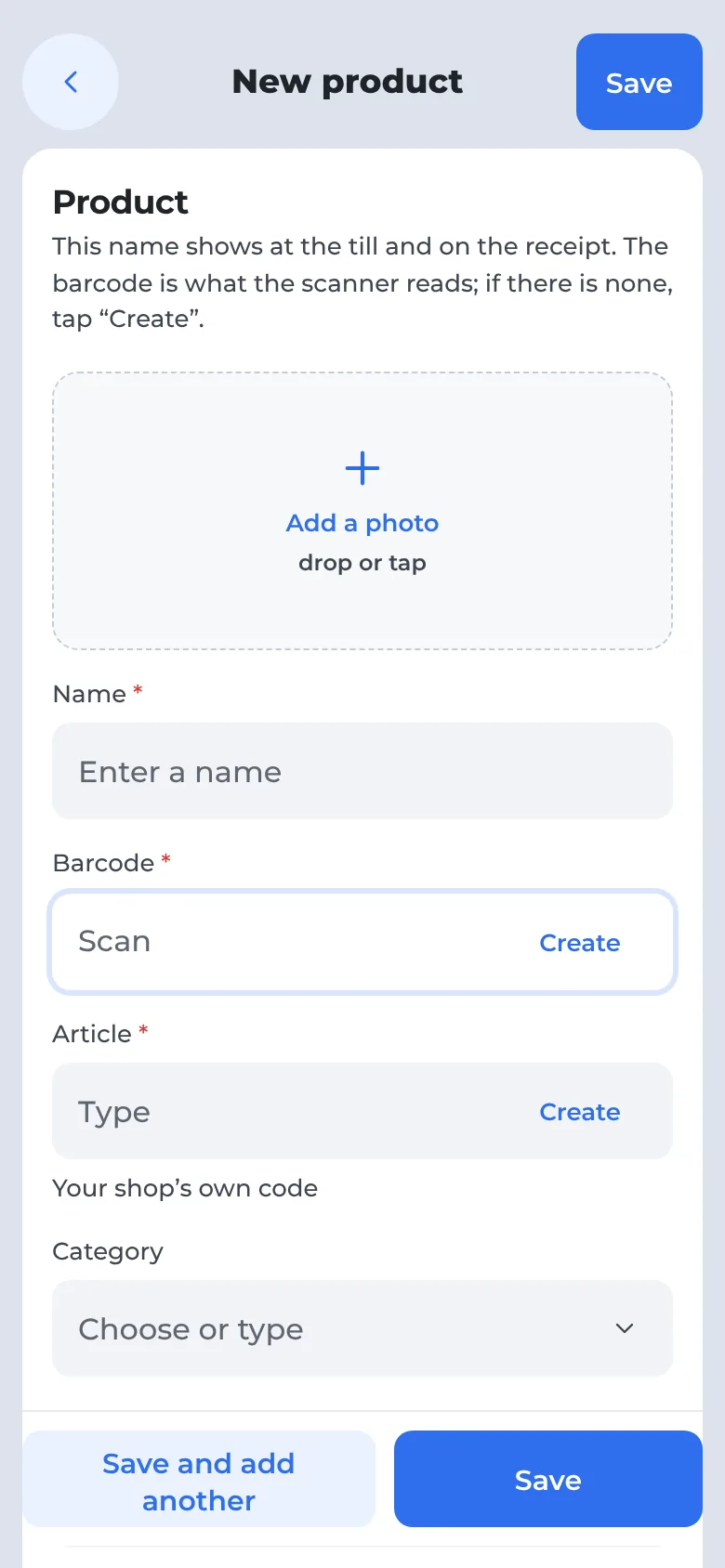
Create a product — in one window
Name, photo, quantity, cost and markup — the selling price is worked out for you. A barcode is made in one tap, and the seller bonus is switched on right here.
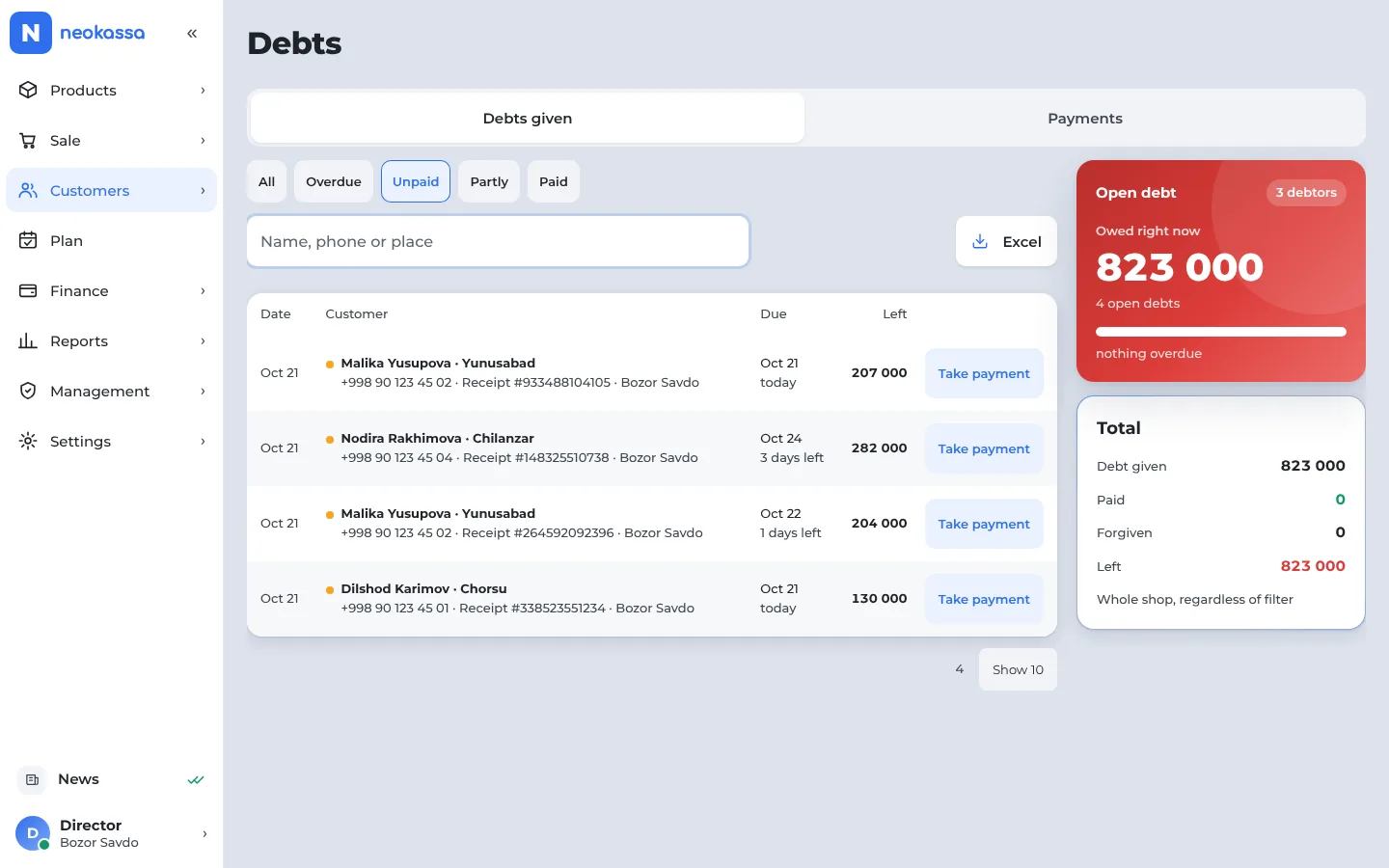
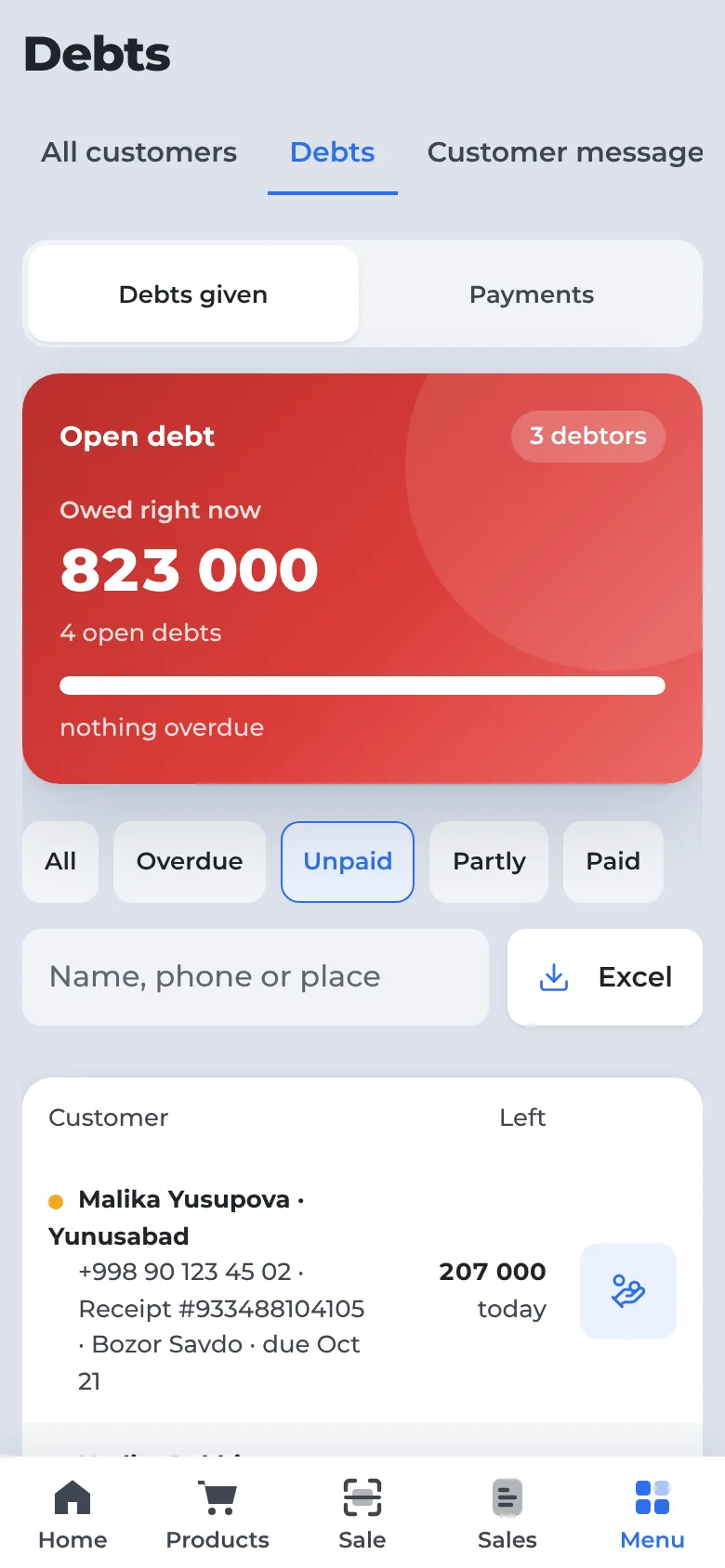
Who owes what — at a glance
Open debts, overdue ones and a “take payment” button next to every customer.
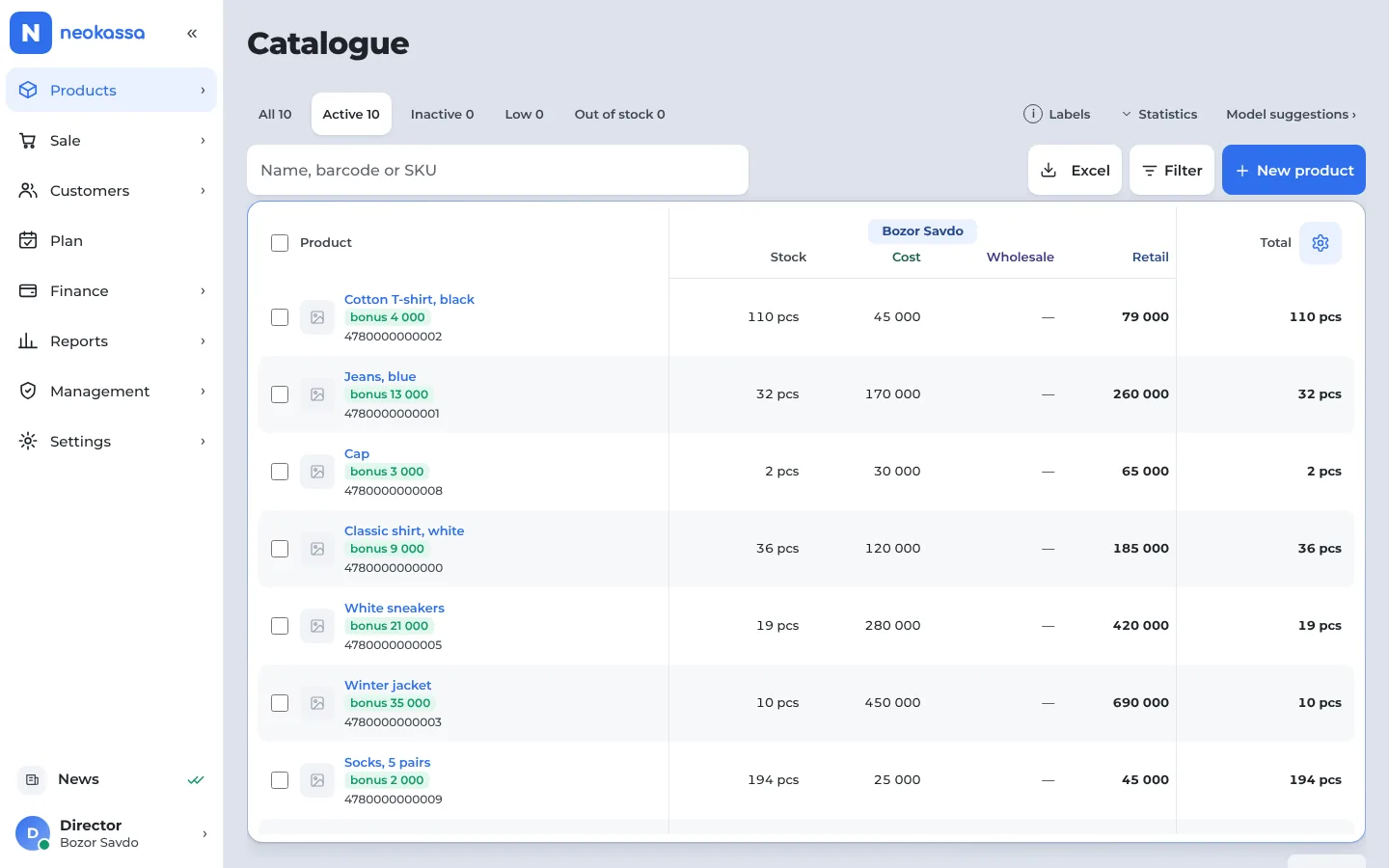
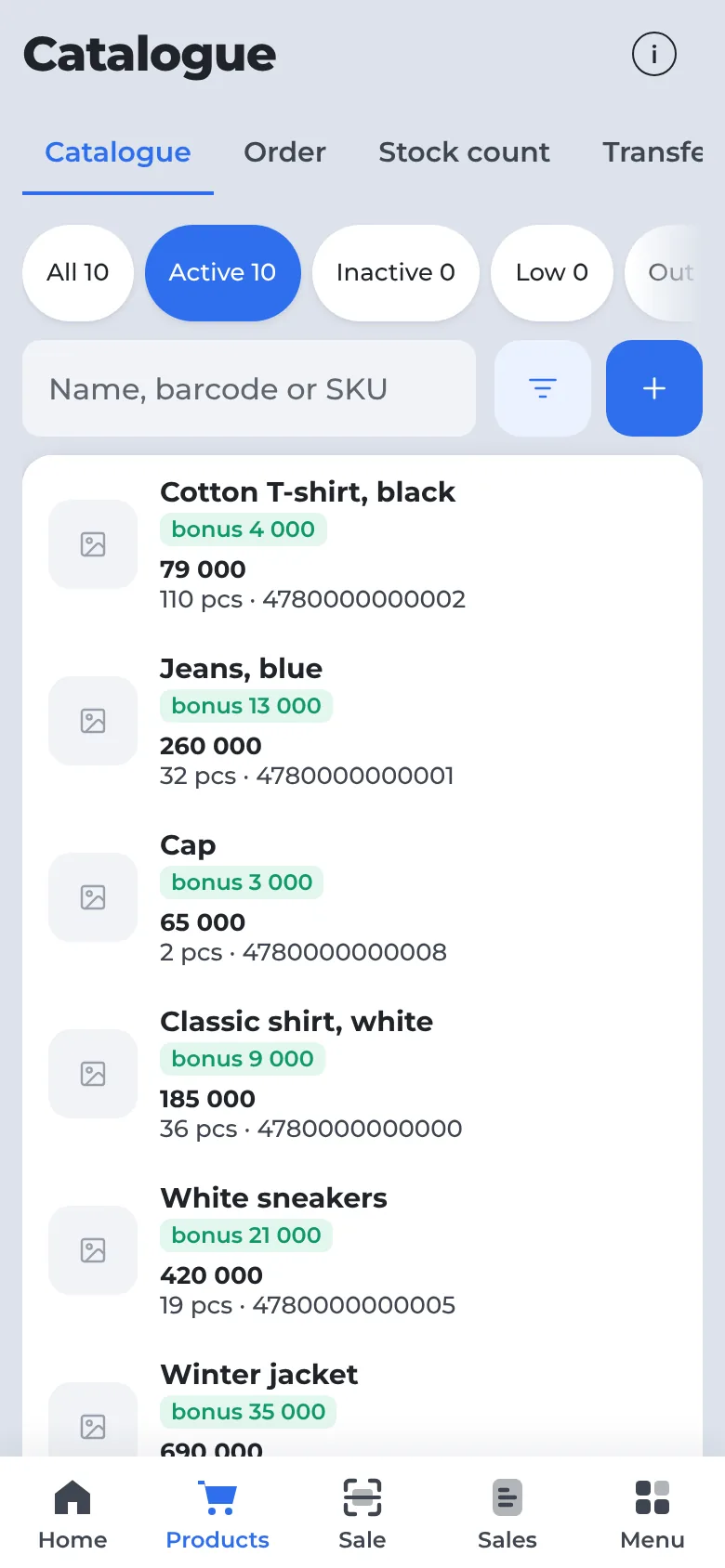
Catalogue and stock levels
Stock, price and cost for every item. Low stock shown separately.
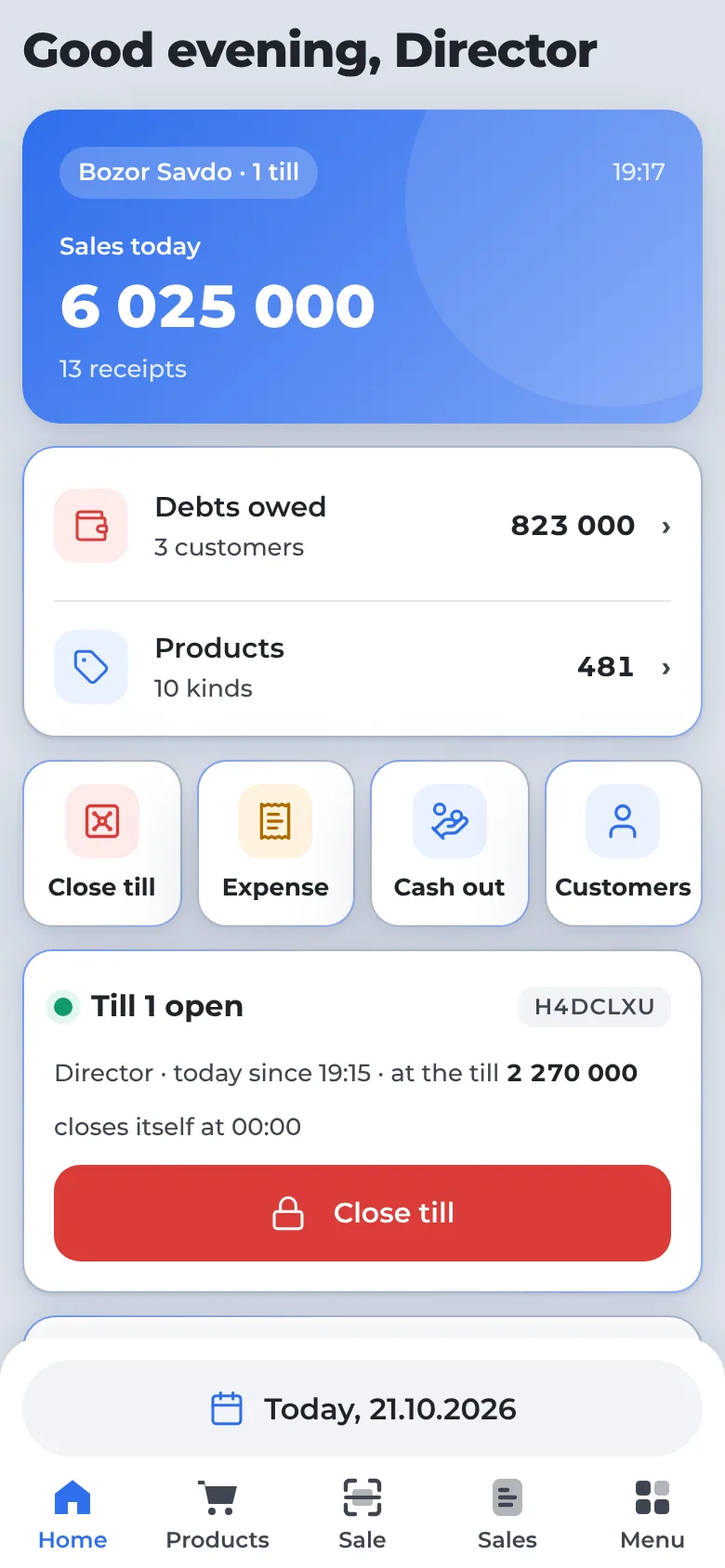
How much was sold today
The home screen shows today’s sales, debts, cash in the till and best sellers.
Not in other programs — only in NeoKassa
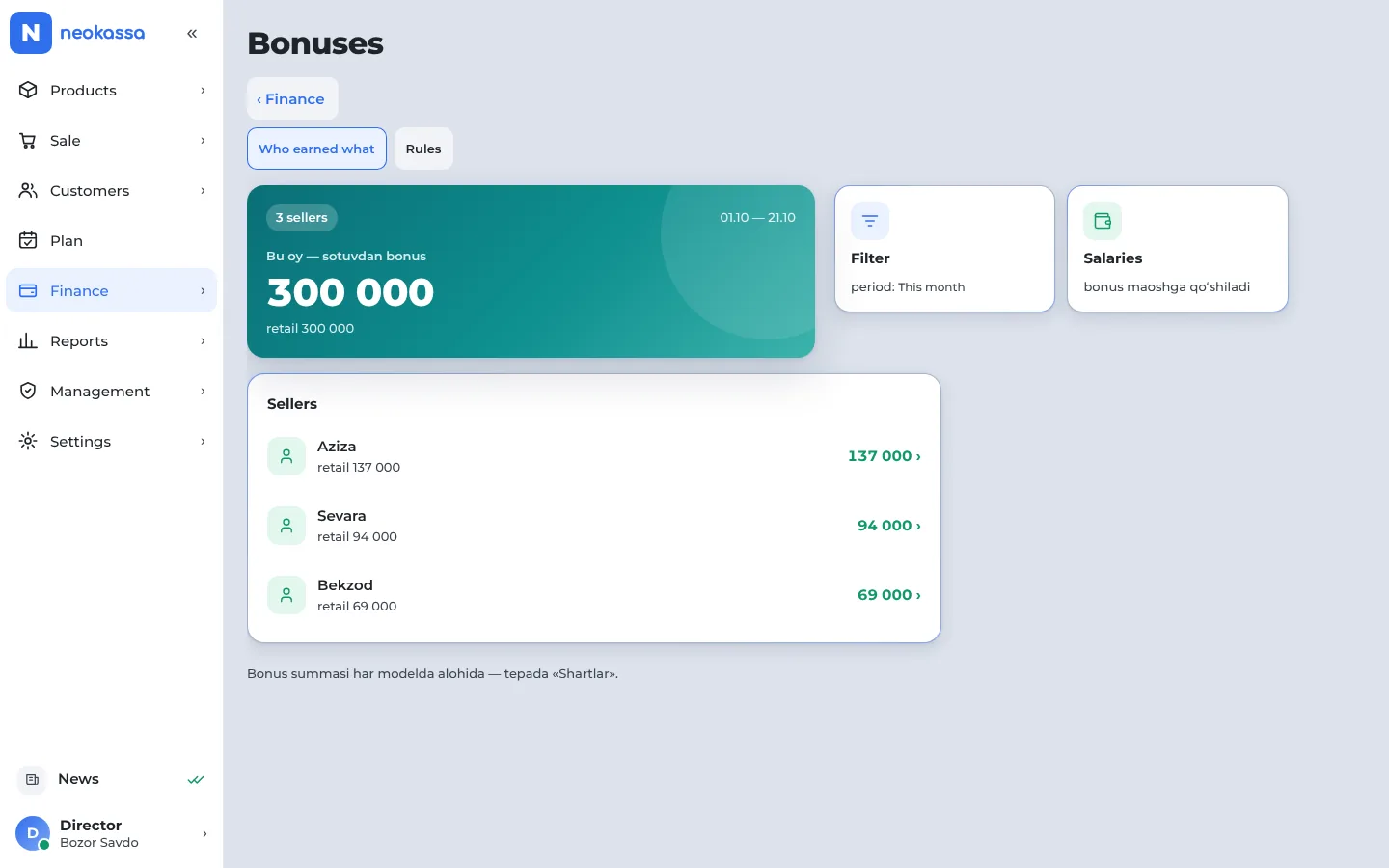
How much to pay a seller, how to work out salaries, when a debtor will pay — the program answers a shop owner’s everyday questions.
Sellers see their bonus before the sale
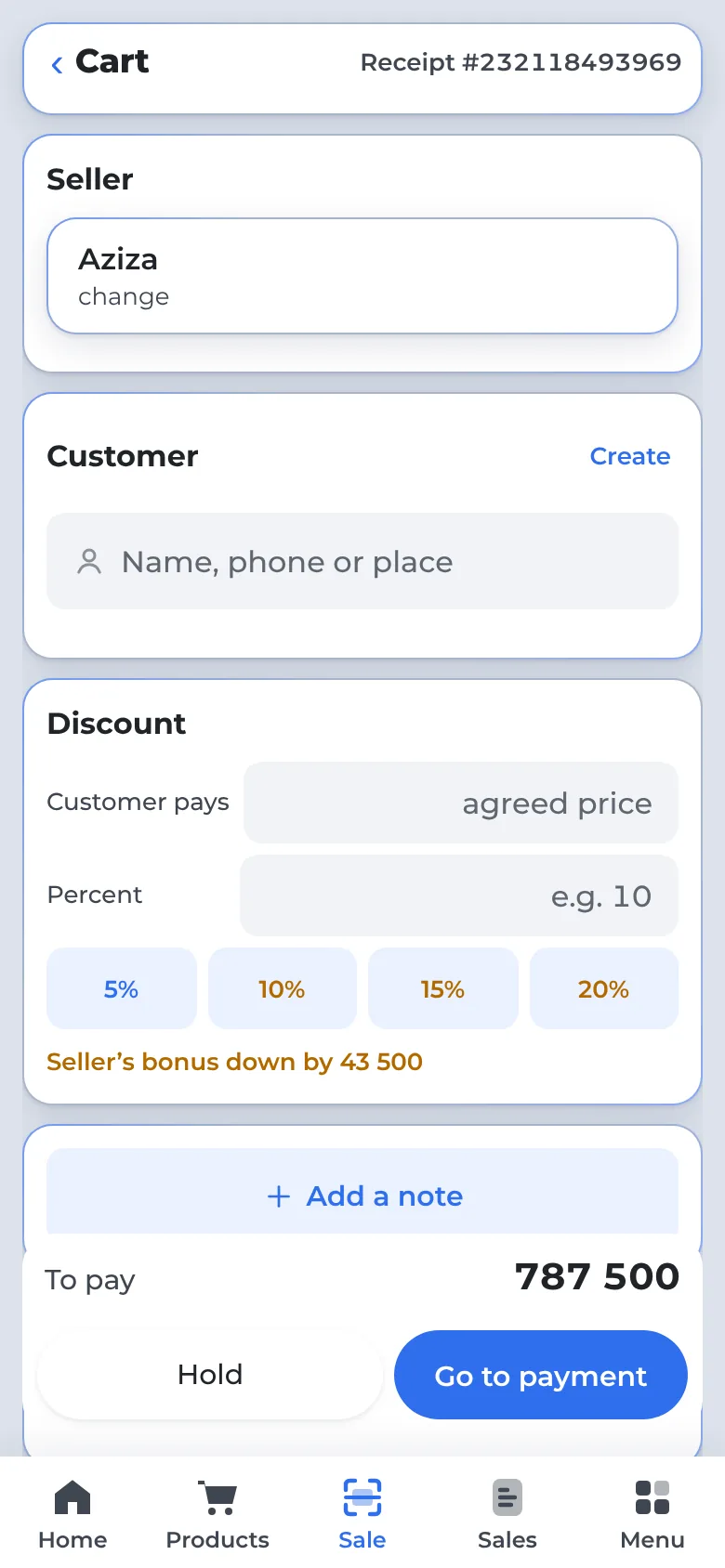
You set a bonus on each item. If the cashier gives a discount, the cart shows at once how much the seller’s bonus drops — so sellers hold the price themselves.
- Sold below cost — no bonus
- Below the floor price — the shortfall comes off the bonus
- Every receipt with its bonus goes to the seller’s Telegram
Jacket: price 690 000, cost 450 000, bonus 35 000, floor — 5 % off the price.
🛒 Sale #4027 · 🏪 Bozor Savdo
🕒 21.10.2026 14:32
👤 Customer: Malika Yusupova
🛍 Seller: Aziza
🧮 Total: 690 000 UZS
💵 Cash: 400 000
📒 On credit: 290 000
📦 Items
1. Winter jacket / 1 pc x 690 000 = 690 000
🎁 Your bonus: 35 000 UZS (retail)
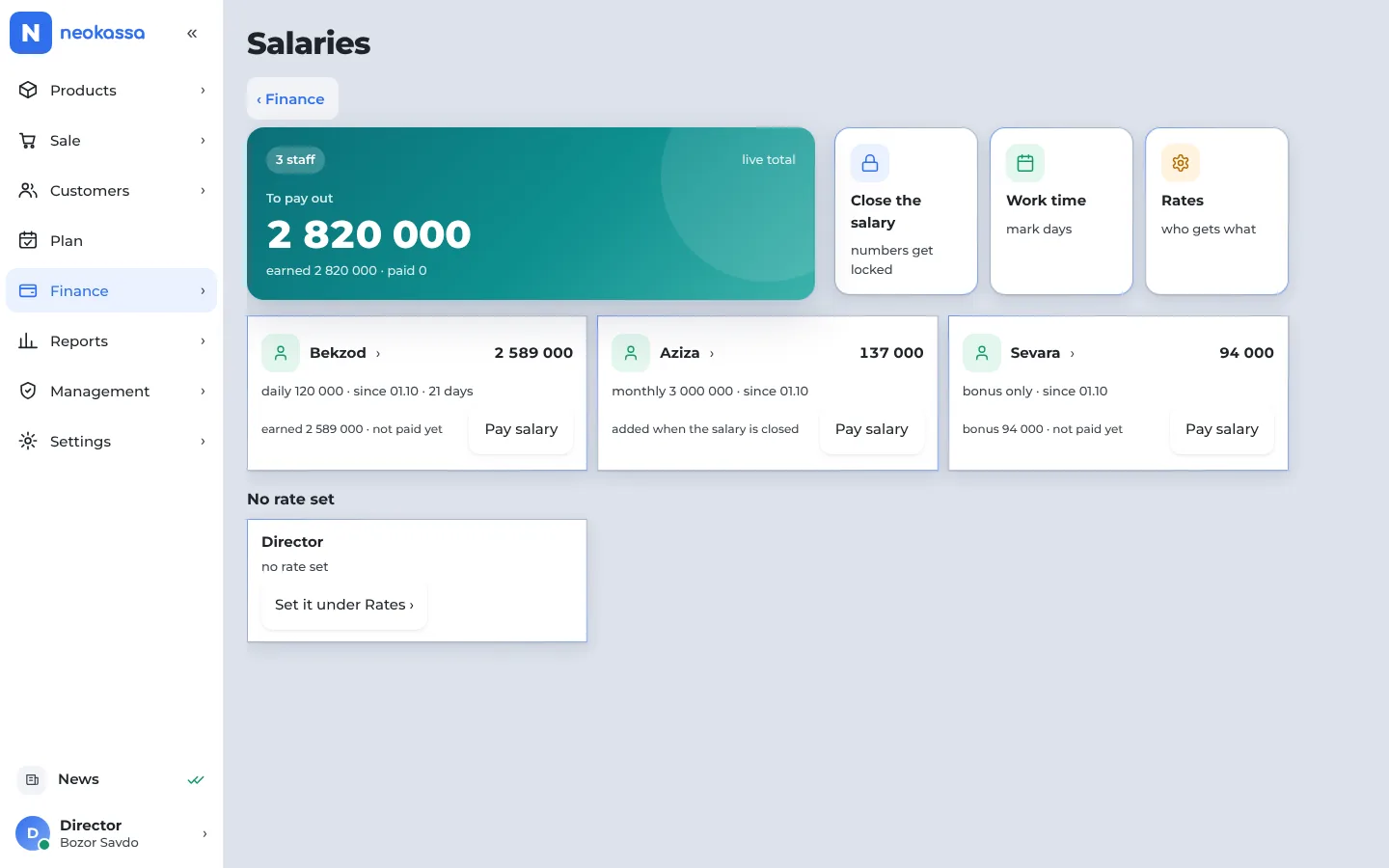
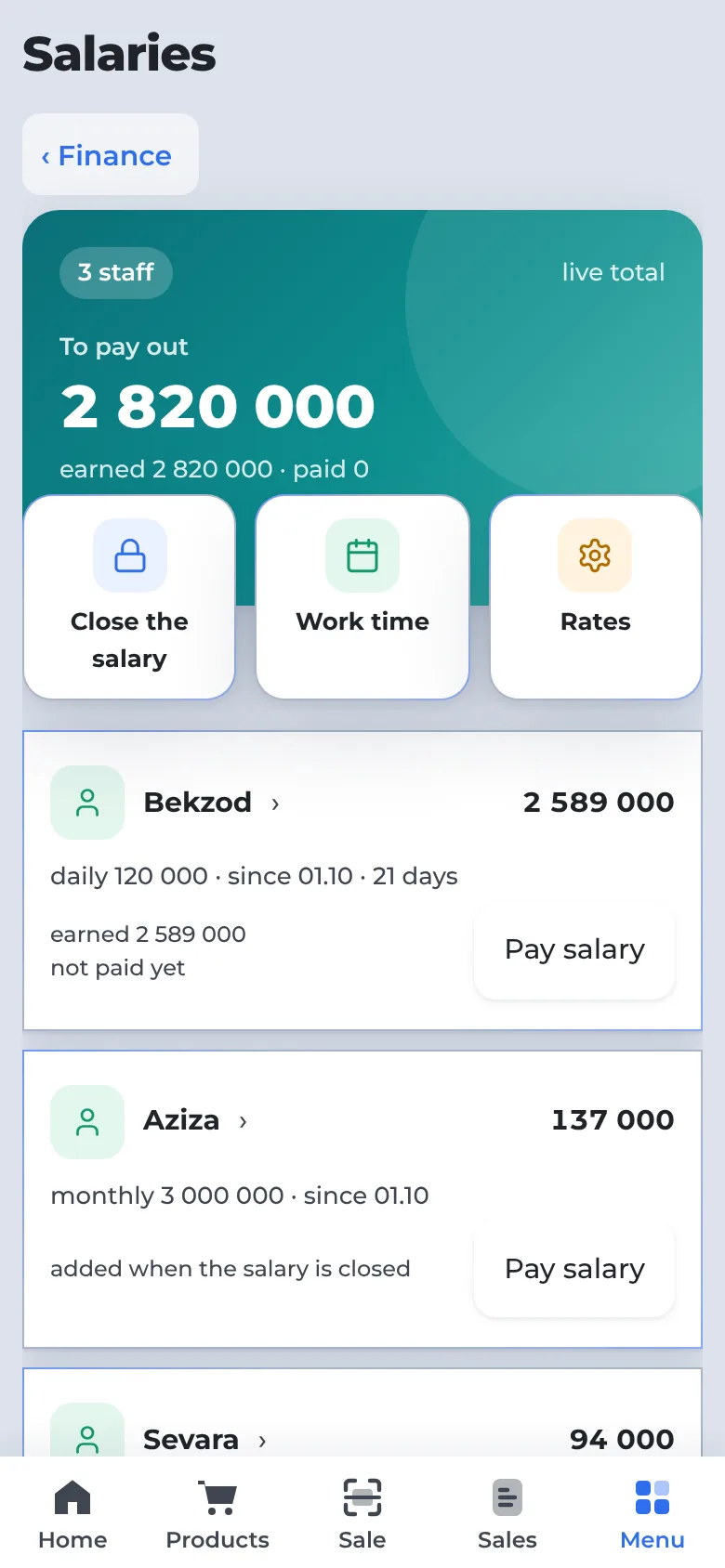
Salaries work themselves out: worked + bonus − advance
Hourly, daily, monthly or bonus only — each person has their own way. Who should get how much is on screen any minute.
- Separate day and night rates
- Weekly, 15-day or monthly periods
- Two copies of a payslip for every payment — one for the employee, one signed for you
Staff see their own pay — no need to ask
“My account” in Telegram: pay, bonus, advance and what is left to receive. The same numbers as on the owner’s screen.
- Every sale arrives with its bonus, with a “Not my sale” button
- Money received and past salaries
- “Arrived / Left” — if you switch it on, the manager confirms
🪪 My account
Period: 16–21 October · as of 16:40
📅 Pay · 6 days: 900 000
🎁 Sales bonus · 32 receipts: 184 000
💵 Advance this period: −40 000
🧮 You will receive: 1 044 000 UZS
⏰ Today you arrived at 08:57 · still at work · today’s bonus +32 000
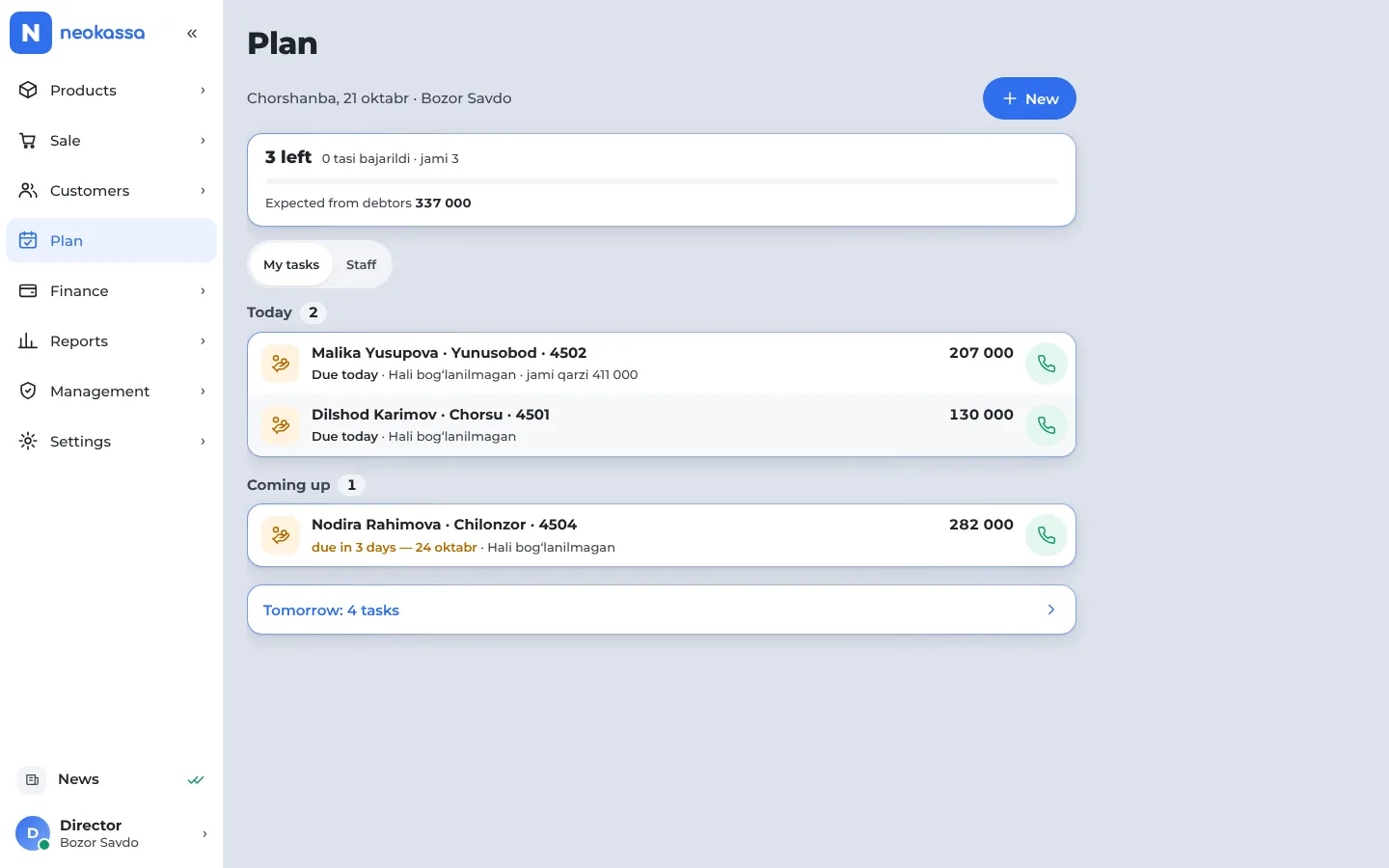
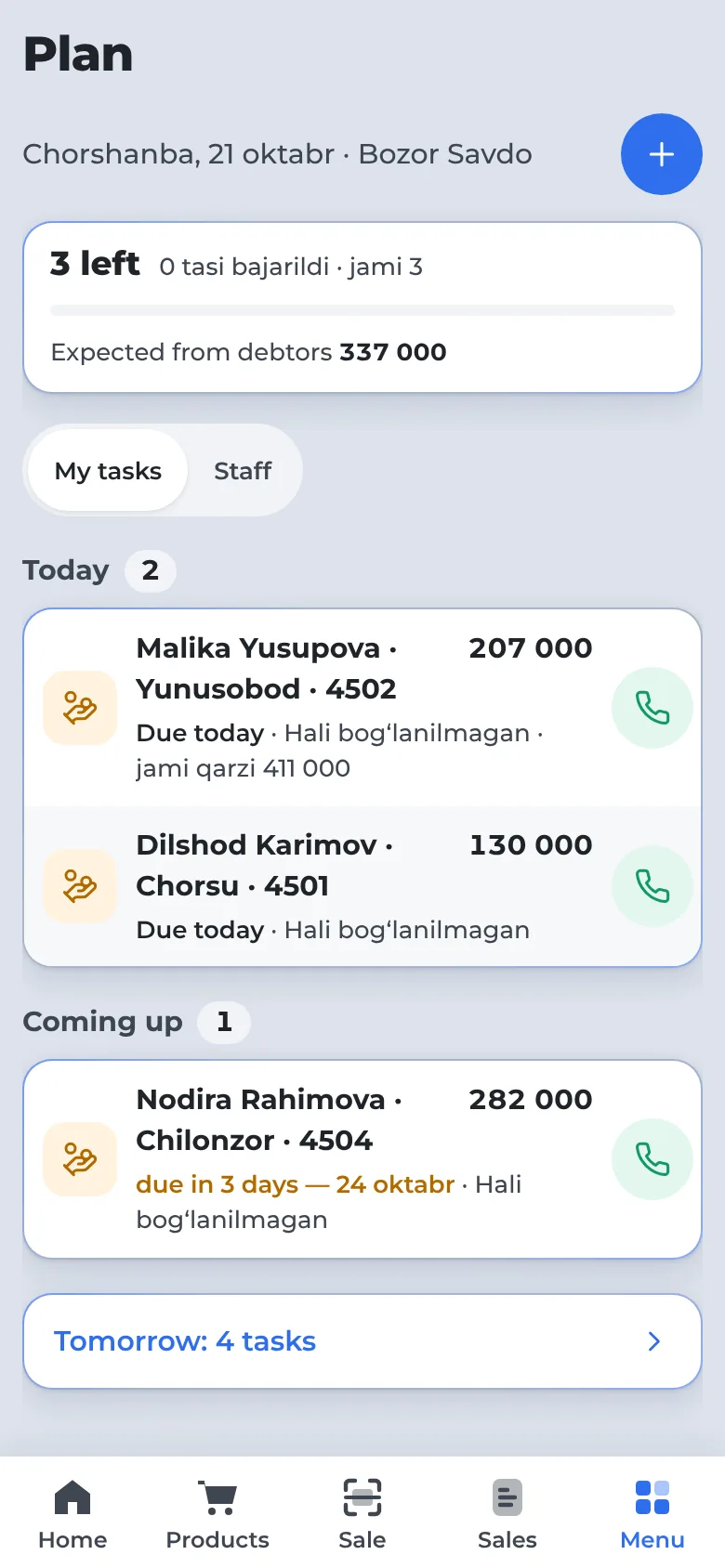
Who to call today — the list is ready
Debtors due today, incoming goods, supplier payments, items running out — in one list. After a call, one tap: “Gave a date”, “No answer”.
- Overdue · Today · Coming up
- A customer’s promise is saved and comes back on its day
- Tasks for your staff
Your shop’s own Telegram bot
Customers get receipts, payments and debts in your shop’s name. When a debt is due, a reminder goes out by itself — no calls needed.
- Customers open “My receipts” and “My debt” themselves
- 👍 / 👎 under each receipt — service rating
- A QR sheet at the till — customers connect themselves
Bozor Savdo: receipt №4027, 21 October 14:32. Total: 690 000 UZS. On credit: 290 000 UZS, due 28 October. Your total debt: 290 000 UZS. Items — under “My receipts”.
Bozor Savdo: your debt is 290 000 UZS, due 28 October.
Bozor Savdo: your payment of 150 000 UZS is received. Debt left: 140 000 UZS. Thank you!
Everything a shop needs
From the till to the stockroom — no separate programs or notebooks.
Fast sales
Barcode scanner, search, discounts. Cash, card and split payment, change is counted for you.
Debt book
Debts are recorded straight from the sale: who, how much, until when. Overdue ones stand out.
Stock
Receiving, transfers between branches, stock counts and write-offs. Low-stock warnings.
Reports
Daily sales, best sellers, sellers, slow-moving stock. Export to Excel.
Till shifts
Open and close the till, count the cash, a cash limit per till.
Staff
Each person gets their own rights. Cashiers sell only in their branch. Salaries and bonuses.
Receipts and cash drawer
Receipt printer over USB or Bluetooth; the cash drawer opens on cash payments.
Telegram alerts
A message for every sale and debt payment — on your phone, even when you are away.
Why NeoKassa
What makes it different: it is built around the daily work of a market shop.
Computer and phone
One program. Nothing to install — it opens in the browser. A computer at the till, a phone at home.
Built for shops and markets
Sales on credit, wholesale prices, finding customers by phone — market needs come first.
Simple and clear
Big buttons, plain words. A cashier works on their own after a sale or two.
Many shops — one account
Each branch has its own till and stock. The owner sees everything on one screen.
Your data is safe
Daily backups, encrypted connection. Each person sees only what they are allowed to.
How to start
Leave a request
Name and phone — one minute.
We set it up
We open your shop, import your items from Excel and train your staff.
Start selling
On a computer or a phone — from the next day.
Pricing
Every plan has every feature. Plans differ by the number of shops, staff and customers.
Standard
- Up to 3 shops
- Up to 10 staff
- Up to 5,000 customers
- Any number of tills — free
- Setup and training — free
Business
- Up to 5 shops
- Up to 20 staff
- Up to 25,000 customers
- Any number of tills — free
- Setup and training — free
Premium
- Unlimited shops
- Unlimited staff
- Unlimited customers
- Any number of tills — free
- Setup and training — free
Monthly prices in UZS. You can switch plans at any time.
Mobile app — coming soon
It is coming to Google Play and the App Store. For now open app.neokassa.uz in your phone’s browser — same program, same account.
Request a call
We will call you, quote a price for your shop and show you the program.
- Setup and training included
- We import your items from Excel
- Questions answered in Telegram
Questions
How much does it cost?
From 150,000 UZS a month — three plans depending on the number of shops and staff. The first month is free, and so are setup and training.
Can I pay sellers a bonus?
Yes. You set a bonus on each item — separately for retail and wholesale, and it can differ by shop. The bonus is added to the salary automatically, and the seller sees it in Telegram.
Which devices does it run on?
Computer, laptop, tablet and phone — any device with a browser. Nothing to install.
Do I need a receipt printer?
No. If you have one, a USB or Bluetooth printer connects, and a cash drawer too.
What language is the program in?
Uzbek for now. Russian is coming later.
Do I have to enter my items again?
No. We import your Excel list.
Is there a mobile app?
Coming soon to Google Play and the App Store. For now open app.neokassa.uz in your phone’s browser — it is the same program.